New Β· Courier app

Your couriers, in one app.

MaYa Delivery is the courier app for businesses that sell with MyShop and deliver with their own couriers. The courier opens a shift, you see them on the map and assign a delivery from the order or from the KDS, and they mark "Picked up" and "Delivered". Order statuses update on their own, and the customer gets a tracking link.

Already on MyShop? Find MaYa Delivery in Marketplace in your admin. The app requires an additional charge per usage license.
Live map
Of couriers on shift
Tracking
Live, for the customer
8
Languages
30 min
Then customer details hide
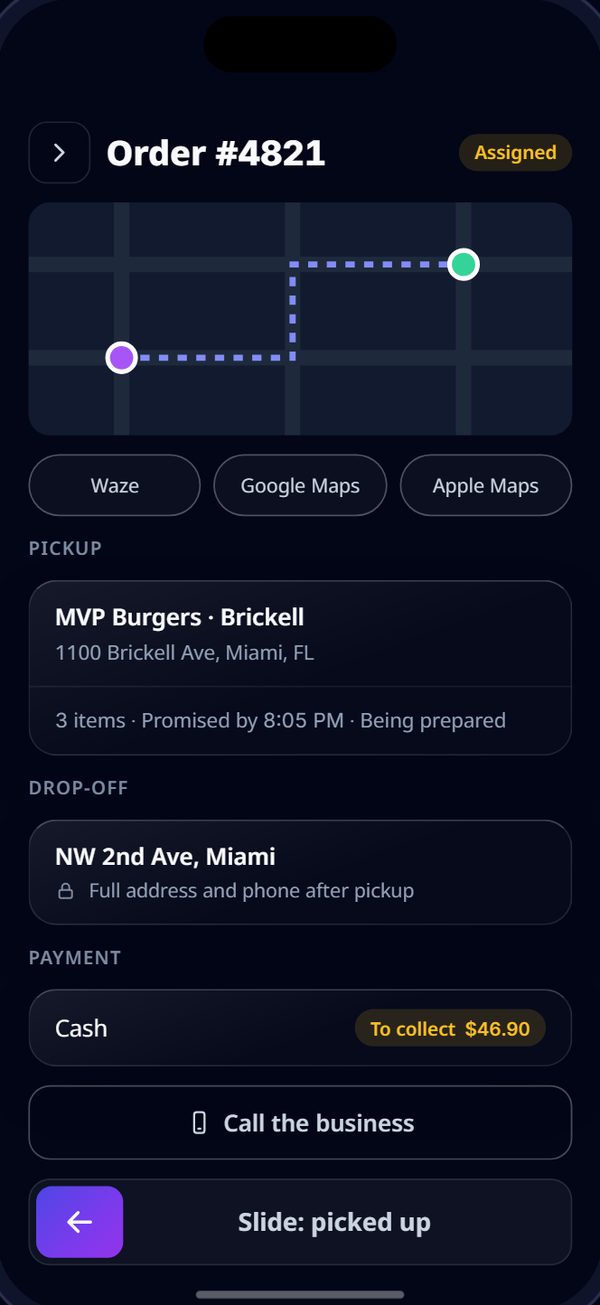
A delivery in the app: a map with the route, Waze, Google Maps and Apple Maps buttons, the pickup, the drop-off, cash to collect, Call the business and Slide: picked up.
Picked up Β· customer got a tracking link

Illustration with a sample business. Each business sees its own orders and addresses.

How it works

From the order to the door, no phone calls

Three steps, and at every one you see exactly where the delivery is.

Set up your couriers

In the Carriers card in your admin: "Add carrier" with a name, phone, username, password and a license for the location. The courier downloads MaYa Delivery and signs in with your project name, the username, the password and an SMS code to their phone.

β†’

Shift and assignment

The courier opens a shift with one tap, and you see them in "Couriers on the map". While the order is being prepared, choose a courier on the order screen in your admin or from the KDS. They get a notification right away.

β†’

"Picked up" and "Delivered"

The courier navigates with Waze, Google Maps or Apple Maps, marks "Picked up" on the way out and "Delivered" at the door. The order statuses in your admin update on their own.

What the courier sees

Everything for the road. Nothing more.

Couriers see only their own deliveries. Prices, licenses and other couriers' deliveries never appear in the app.
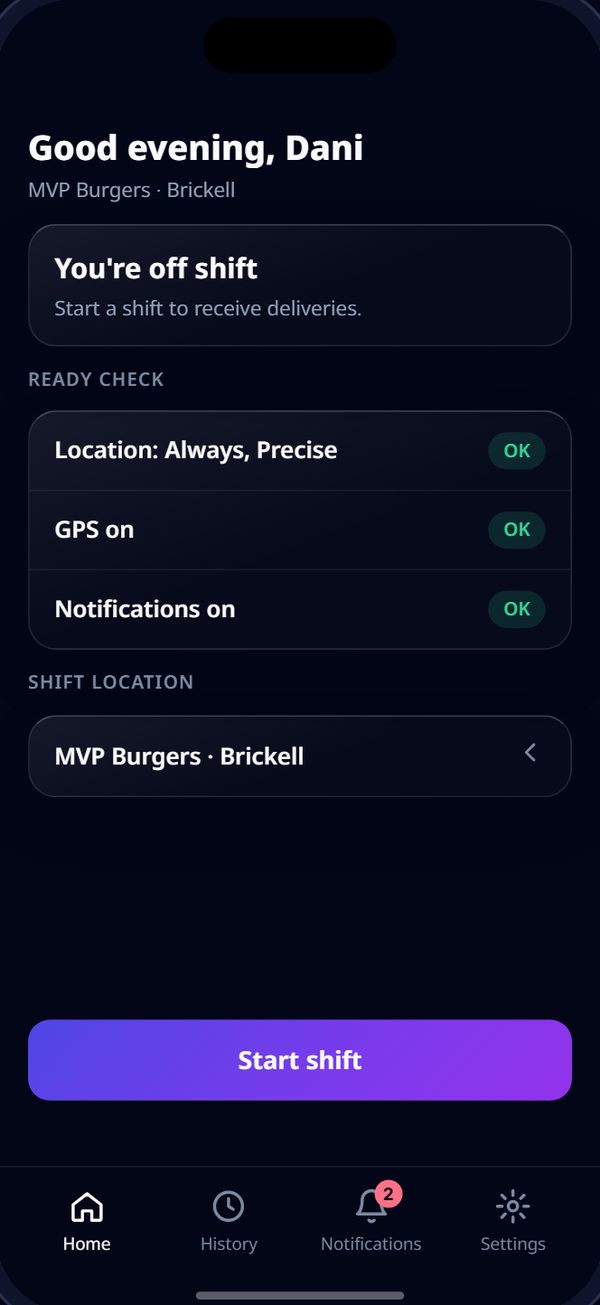
Starting a shift: readiness check for location, GPS and notifications, and the button that starts the shift.
1 Shift

A readiness check for location, GPS and notifications, then one tap starts the shift. New deliveries arrive as notifications, and every assignment is kept in the notification center.

The delivery screen: navigate, call the business and mark picked up.
2 On the way

Navigation in the maps app the courier already uses, a call to the business, and "Picked up".

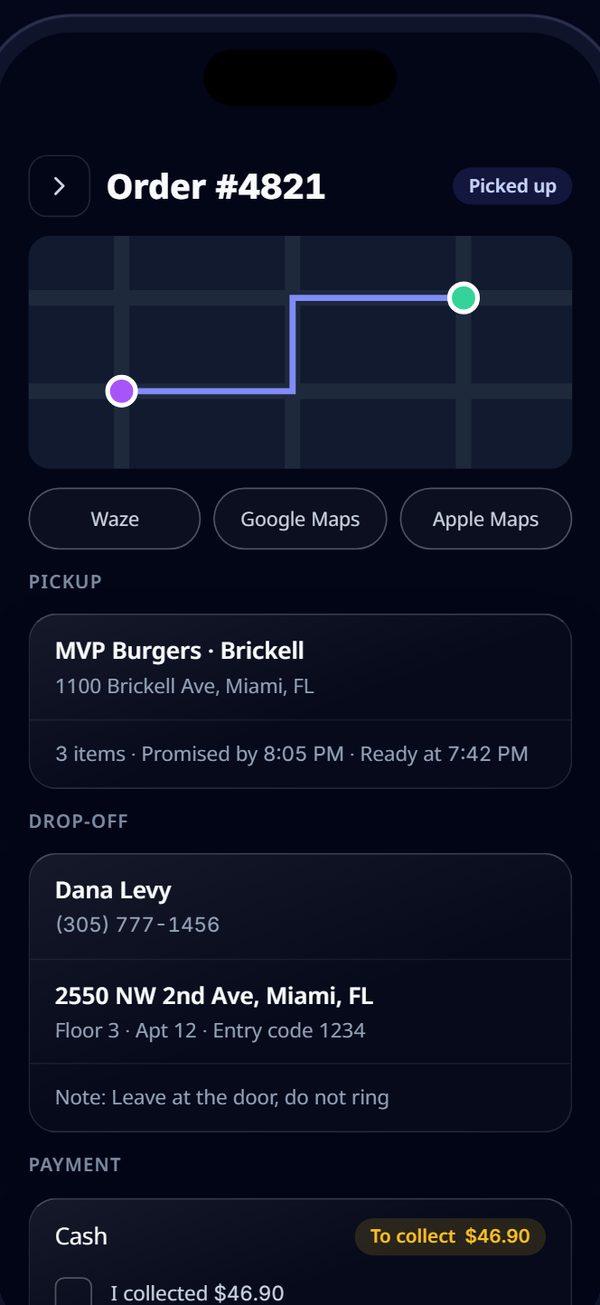
After pickup: mark delivered.
3 Delivered

"Delivered" at the door, with cash collection and a delivery photo when the location turns them on.

Illustration with a sample business.

What's inside

Control for you, simplicity for the courier

Couriers on the map

A live map in your admin of the couriers on shift right now, and who holds which delivery.

Assign from the admin or the KDS

Choose a courier on the order screen while it's being prepared, or from your existing KDS, without changing how you work.

Tracking link for the customer

At pickup the customer gets a link in the pickup message, and the "Track Courier" button on your ordering site opens it: the courier's first name, position and route.

Proof of delivery

An option per location: the courier photographs the order at the drop-off before "Delivered".

Customer privacy

The customer's phone and address are hidden in the app 30 minutes after delivery.

Block a courier

Block a courier for the whole business or for one location, in one click from your admin.

8 languages

English, Hebrew, Arabic, Spanish, French, Russian, Portuguese and Hindi. The app opens in your business's language.

History and notifications

Couriers see the deliveries they made in the last 90 days, and a notification center with every assignment.

MaYa knows

Ask MaYa who is on shift, how many deliveries each courier made and which deliveries are waiting for a courier. MaYa shows it and links to the screen in your admin.
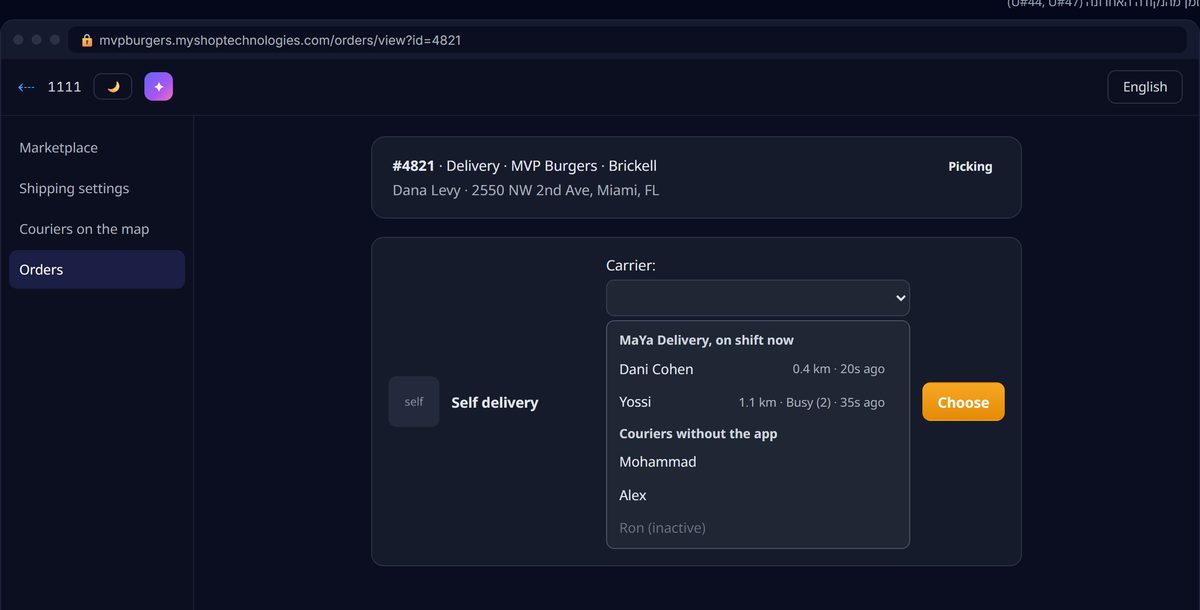
The order screen in the admin: choosing a courier from the MaYa Delivery, on shift now group, with the distance from the location.

Illustration with a sample business.

In the admin you already know

Pick a courier. That's it.

The courier picker on the order screen gets a new group, "MaYa Delivery, on shift now", with the distance from the location. Couriers who work without the app stay on the list, as they are today.

  • After you buy: "Add carrier" in the Carriers card, and a license for each courier at the location.
  • Send each courier: search "MaYa Delivery" in the App Store or Google Play (publisher MyShop), plus the project name, username and password.
  • Optional: proof of delivery and courier terms in the "App settings" tab of the Carriers card.
  • The full guide is in your admin, and MaYa answers from it.
The app requires an additional charge per usage license. One license is one courier at one location. You buy licenses in your admin, on the MaYa Delivery card in Marketplace. Couriers download the app for free, with no in-app purchases.
Questions

Good to know

What does it cost?
The app requires an additional charge per usage license. One license is one courier at one location. You buy licenses in your admin, on the MaYa Delivery card in Marketplace. Couriers download the app for free.
How do couriers get the app?
Each courier searches "MaYa Delivery" in the App Store or Google Play (publisher MyShop) and signs in with your project name, the username and password you set for them, their phone number and a one-time SMS code.
What does the customer see?
From pickup until delivery the customer gets a tracking link in the pickup message, and the "Track Courier" button on your ordering site opens it too. It shows the courier's first name, position and route.
What doesn't the courier see?
Prices, licenses and other couriers' deliveries. The customer's phone and address are hidden in the app 30 minutes after delivery.
Who supports the courier?
The business they deliver for. MyShop provides the software only. Details on the MaYa Delivery support page.

Your deliveries, under your control.

Already on MyShop? Open Marketplace in your admin and find MaYa Delivery. New to MyShop? Book a demo and we'll show you how it works for your business.

Additional charge per usage license